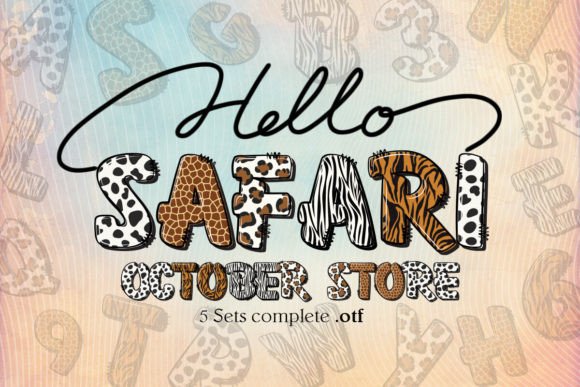
Dots and Dots: Crafting with a Playful, Colorful Typeface
There's a certain joy in design that feels handmade—something that carries warmth, personality, and a touch of whimsy without sacrificing clarity. That's exactly the energy the Dots and Dots color font brings to the table. This isn't your typical typeface sitting quietly in the background. It's a dotted letters color font that steps forward with a playful, textured presence, perfect for projects where you want your words to feel personal, approachable, and visually distinctive.
If you've ever struggled to find a font that bridges the gap between fun and professional, between creative and readable, this one deserves a closer look. Let's talk about what makes it work, where it shines, and how to get the most out of it in your next project.
What Makes This Dotted Font Different
At first glance, Dots and Dots feels like something you'd see on a handcrafted poster or a child's birthday invitation—but don't let that initial impression fool you into thinking it's limited. The dotted texture gives each letter a tactile quality, almost like it was created with a paint pen or a stamp set. Because it's an OpenType-SVG color font, those dots can carry actual color information within the font file itself. That means each character arrives with built-in visual depth, not just a flat outline waiting for you to add effects.
This matters more than you might think. When you're working on branding materials, packaging, or social media graphics, the ability to drop in a font that already has character and dimension saves time. You're not layering textures or applying multiple effects. The font does a significant amount of visual heavy lifting on its own.
It's worth noting the compatibility side of things, too. Dots and Dots works beautifully in PhotoShop, Illustrator, Silhouette, and Inkscape. The OTF and TTF files are not compatible with Cricut, so if that's your primary tool, you'll want to check the Ultimate Font Guide for workarounds or alternative approaches. For everyone else, getting started is straightforward.
Where This Font Truly Comes Alive
Think about the projects where a standard serif font or clean sans serif feels too stiff, too corporate, or just plain boring. That's where a creative font like this one earns its place in your toolkit.
Branding and Logo Design: If you're building a brand identity for a bakery, a children's boutique, a creative studio, or any business that wants to signal warmth and approachability, this dotted typeface can anchor your logo or serve as a secondary display font. It pairs surprisingly well with a simple sans serif for body text, letting the dotted lettering handle headlines and accents while the cleaner font keeps longer copy readable.
Packaging Design: Product labels, box designs, and hang tags benefit enormously from fonts with personality. Imagine a craft candle label or a handmade soap package using Dots and Dots for the product name. The dotted texture echoes the artisan feel of the product itself, creating visual consistency between what the customer sees and what they're holding.
Social Media Graphics: Instagram posts, Pinterest pins, and Facebook headers all compete for attention in crowded feeds. A distinctive display font stops the scroll in ways that generic typography simply cannot. Use it for quote graphics, sale announcements, or story highlights where you want the text itself to be the visual hook.
Invitations and Event Materials: Birthday parties, baby showers, bridal events, and community gatherings all call for typography that feels celebratory. This font delivers that festive energy without looking cluttered or hard to read, which is a balance many decorative fonts fail to strike.
Merchandise and Print Products: Tote bags, mugs, stickers, greeting cards—any physical product where you're printing text benefits from a font that looks intentional and crafted. The dotted style translates well to print because the texture remains visible even at smaller sizes, depending on the application.
Digital Products and Marketing Assets: E-book covers, course graphics, email headers, and lead magnet designs all benefit from a typeface that signals creativity. If you're selling digital products or building an online presence, having a go-to premium font that feels fresh and distinctive gives your materials a polished edge.
Pairing Dots with Other Typography
No font works in isolation. Even the most striking display font needs supporting typefaces to handle different roles within a design. The key to successful font pairing is contrast and balance.
Since Dots and Dots is inherently decorative and textured, pair it with something clean and understated for body copy. A simple sans serif like Montserrat, Open Sans, or Lato provides that counterbalance without competing for attention. If you want a slightly warmer feel, a readable serif font like Lora or Merriweather can work, too—just make sure the weights and sizes keep the visual hierarchy clear.
Avoid pairing it with other heavily styled fonts. Two decorative typefaces fighting for attention creates visual noise rather than visual interest. Let the dotted font be the star, and give it a calm, quiet partner to support it.
Test your pairings at actual sizes. What looks balanced on a large monitor might feel cramped or overwhelming on a mobile screen or a small product label. Print a test version if you're designing for physical materials. Screen rendering and print output can feel very different, especially with textured fonts.
Readability Considerations Worth Your Time
Every designer faces the tension between style and legibility. A font can be gorgeous and completely impractical if people can't read it at the size you're using it.
Dots and Dots works best as a display or headline font. Think titles, short phrases, single words, and accent text. For paragraphs, product descriptions, or any block of body copy, switch to something with simpler letterforms. The dotted texture, while charming, can become visually fatiguing over long reading passages.
Size matters here. Give the letters room to breathe. At very small sizes, the individual dots may blur together, reducing clarity. At larger sizes, the texture becomes a feature rather than a distraction. Aim for headline-sized applications where the dotted detail can be appreciated.
Color contrast is another factor. If you're using the color version of the font, make sure the dots remain visible against your background. A high-contrast background—light dots on dark surfaces or vice versa—keeps the text readable while showcasing the font's built-in color capabilities.
Making It Work for Your Brand
Choosing a font isn't just about what looks nice in the moment. It's about whether that typeface can serve your brand consistently across different contexts and over time.
Before committing to Dots and Dots as part of your brand identity, test it across every touchpoint where your audience encounters your brand. Does it work on your website headers? Does it hold up on printed business cards? Does it look right in your Instagram stories and your email signatures? A font that only works in one context creates inconsistency, which chips away at brand recognition.
Review all the included font styles and characters before you start designing. Knowing what's available—uppercase, lowercase, numbers, punctuation, special characters—prevents surprises mid-project. Some color fonts have limited character sets compared to traditional typefaces, so it's worth confirming that the glyphs you need are there.
And if you're using this font for commercial projects—client work, products for sale, branded materials for your business—double-check the licensing. Commercial font licensing protects both you and the font creator, and understanding the terms upfront saves headaches later.
A dotted font like this one isn't trying to be everything to everyone. It's a specific tool for a specific kind of visual voice—playful, personal, and full of character. Used thoughtfully, it becomes one of those design assets that makes your work feel unmistakably yours.